

Features
Everything an authoritative DNS server needs, in one place.
Patchvia DNS answers queries over UDP and TCP and provides the HTTP API and web console for managing it. This page lists what it does today, and what it does not do yet.
Records and zones
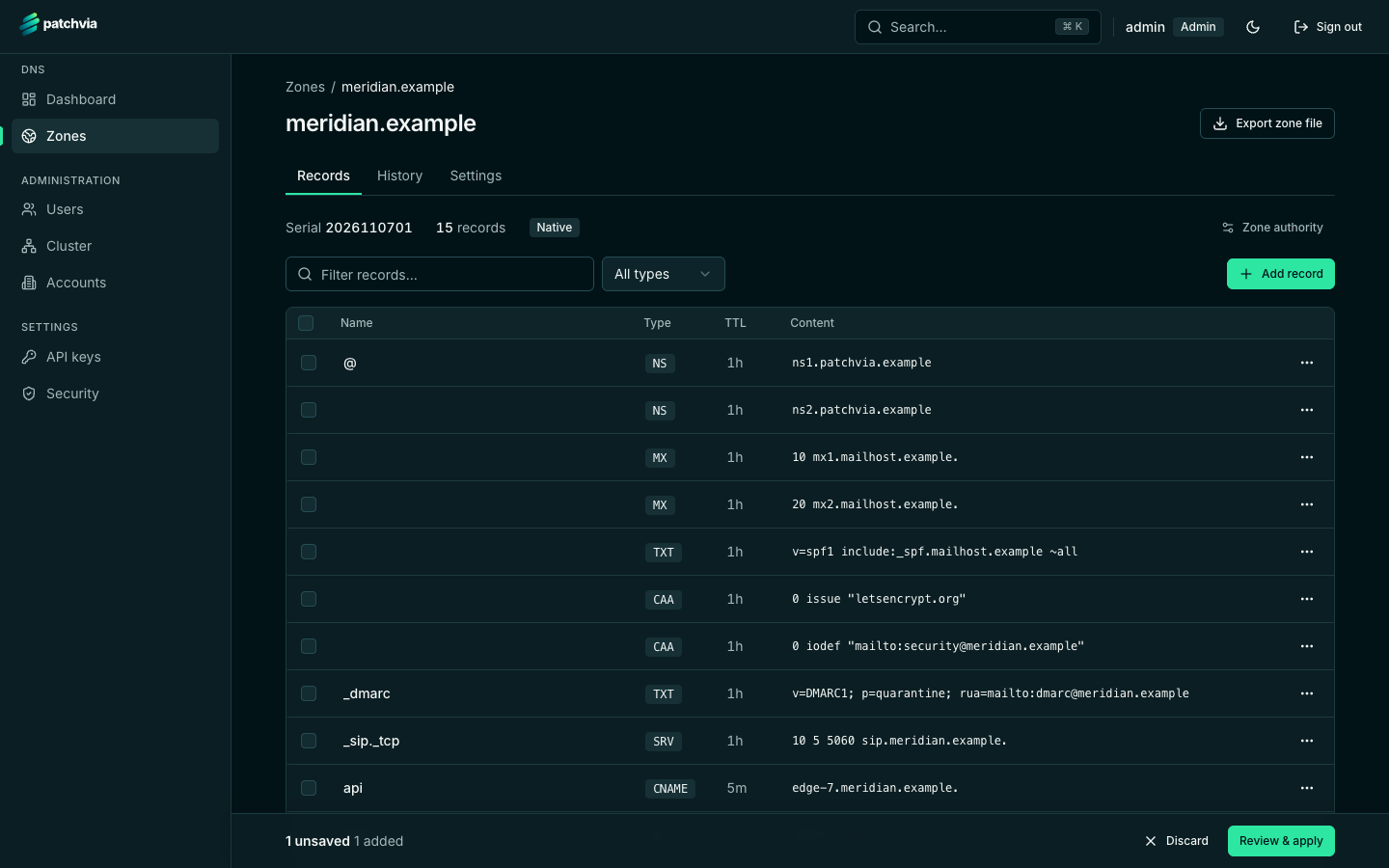
Zones hold A, AAAA, CNAME, MX, NS, TXT, SRV, CAA, PTR and SOA records. Wildcards and delegation are supported. Records are edited in a staged editor: changes are collected, reviewed, and then applied together.
Zones can be created in the console or imported from a zone file. Each zone can be exported as a zone file at any time.
Zone transfers and NOTIFY
The server supports AXFR and IXFR zone transfers, sends NOTIFY to the secondaries you configure, and can run secondary zones that copy their data from a primary. Transfers are restricted to the addresses you allow.
DNSSEC
Zones can be signed online as answers are served, with key rollover from the zone settings. The DS record for your registrar is shown and can be copied. See the DNSSEC page for the details and the current limits.
Dynamic DNS
Each zone can have dynamic DNS tokens, so routers and home gateways can update a record when their address changes. The server accepts the update protocols those devices already speak.
Clustering
Several nameservers can run as a cluster. Each node keeps its own database, and the nodes replicate changes to each other. The console shows the cluster health and each node’s zone serials.
Accounts, roles and API keys
Zones belong to accounts, so a customer sees only their own zones. Users have one of three roles: admin, operator, or user. Automation uses API keys with a read or write scope.
- Accounts group zones by customer or team
- Roles: admin, operator and user
- API keys with read or write scope, for scripts and infrastructure tools
Abuse protection
Response rate limiting (RRL) limits identical UDP responses to a single client network, and a per-IP limit caps simultaneous TCP connections. Both are configured with environment variables and can be disabled.
See it running
Walk through the console, or start your own instance with Docker Compose.